Melee Trace
Documentation Unreal Engine AI Melee Combat
Make a swing connect: swept weapon traces on the attack montage, damage per window, and impact effects when it lands.
A weapon that lands its hits. The sweep fills the gap between frames, so a fast swing connects at 30 FPS and at 144, and each montage window carries its own damage.
Set it up
60 seconds- 1
Put the trace component on the wielder
An enemy built on the plugin's enemy character already carries SEC Melee Trace. On any other pawn, add the component in the Blueprint's component list. - 2
Give the weapon its trace sockets
Open the weapon Blueprint and add one entry to Trace Sockets. Point it at the sockets you placed on the weapon mesh.BP_Sword▾Trace SocketsIDNoneShapeSphereSocket Or Bone NameTraceStartEnd Socket Or Bone NameTraceEndOne entry per contact point. Equipping the weapon registers it on the wielder. Weapons covers building the weapon and getting it into the enemy's hand. A pawn that fights with fists, claws or a horn skips this step and registers its own sockets from Blueprint, under Fists, claws and anything without a weapon further down. - 3
Create a damage config
Right-click in the Content Browser, SEC, Damage Config.Content Browser▸ ContentRight-click in the Content Browser, SEC, Damage Config. Set Damage to what the attack is worth and Damage Type toSEC.Damage.Physical.Slashing. Six configs ship underCore/Damage, one per type; pick one of those to skip this step. - 4
Open a trace window on the montage
Open the attack montage, add a Notify State, and pick SEC Melee Trace Window. Drag it across the strike frames.AM_Attack_Light▾Melee TraceSocket IDs0 Array elementsDamage ConfigNone▾Socket IDs names which sockets sweep. Leave it empty to sweep every registered socket. - 5
Play, and watch the sweep
Press Play and runSEC.Debug.Melee.DrawTracing 1in the console. The swept shape draws every frame the window is open, and turns on a hit.
Sockets have to be registered before the window opens, and the weapon registers its own the moment the enemy equips it. An enemy that spawns unarmed swings through everything. Check Starting Loadout on the pawn's SEC Equipment Component, then read the Output Log: the trace names any socket ID a window asked for that nothing registered.
The target decides what a hit costs it. A pawn implementing SEC Damageable answers the hit and can block, parry or shrug it off; anything else takes Unreal's point damage instead. See Defense System.
Shape the sweep
Viewport
Interpolation OFF
LVL_SEC_Showcase>Melee Trace
Swing Speed60°
SIM_FPS: 10
STATUS: TUNNELING
0
Successful Hits
Without Interpolation: The fast sword swings 'teleport' over the target between frames, causing a miss.
Each socket entry is one contact point on the weapon. Its Shape decides what the sweep covers between two frames.
| Shape | Pick it for |
|---|---|
| Sphere | Fists, pommels, a small contact point. Radius (15) is the whole setup. |
| Capsule | Widening one contact point's swept path. It lies along the direction the socket travelled, so Capsule Half Height lengthens the sweep rather than the weapon. |
| Capsule Two Point | A blade from hilt to tip. It spans Socket Or Bone Name to End Socket Or Bone Name and sizes itself. |
Add an entry per contact point and give each its own ID. A blade and a pommel can then trace in different windows of the same montage.
The first frame after a window opens records positions only. The sweep starts on the frame after that, once it holds a previous sample to sweep from.
The montage window
Details
SEC Melee Trace Window
Melee Trace
Socket IDs
1 Array element
Damage Config
DA_Damage_Sword
Debug
Enable Debug Draw
Anim notify state on strike frames. Empty Socket IDs activates every registered socket.
Leave Socket IDs empty and the window sweeps every socket the wielder has registered. Fill it in and the names have to match a socket ID exactly.
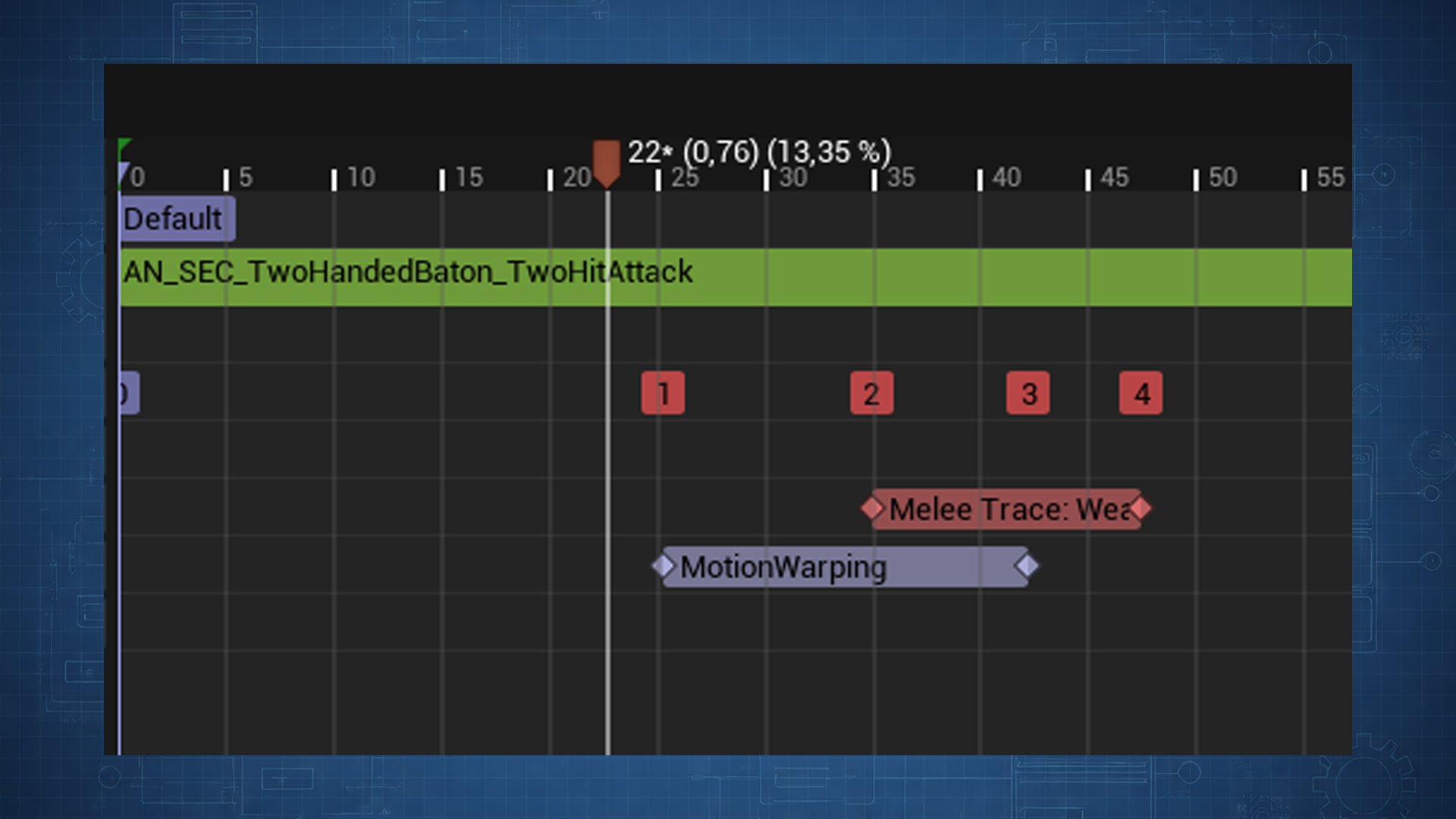
One component traces one window at a time. Two windows overlapping on the same montage close the first and log that the earlier one ended, naming the actor it was open on, so space them apart or fold them into one.
Damage per attack
Details
SEC Damage Config
Damage
Damage
10
Additional Vital Damage
0 Array elements
Damage Type
None
Damage Type Class
None
Damage Tags
0 tags
Multi Hit Interval
-1
Max Targets Per Swing Override
-1
Use Authored Hit Direction
Hit Effects
Hit Effects
0 Array elements
Data asset assigned on the montage notify or the trace component Default Damage Config.
Three places can answer for a window's damage, and the first one filled in wins: the notify's Damage Config, then Default Damage Config on the component, then Base Damage (10).
Damage Type names the kind of damage so a target can resist or react by type. The shipped vocabulary splits by what the damage is rather than how it arrived:
| Physical | Elemental |
|---|---|
SEC.Damage.Physical.Slashing | SEC.Damage.Elemental.Fire |
SEC.Damage.Physical.Piercing | SEC.Damage.Elemental.Ice |
SEC.Damage.Physical.Bludgeoning | SEC.Damage.Elemental.Lightning |
Tags match down the tree, so armour can check
SEC.Damage.Physical and a ward SEC.Damage.Elemental without naming each type.Additional Vital Damage drains channels beyond health, one row per vital: 10 off stance while Damage takes 50 off health. A target carrying no matching row ignores that channel, so one attack works against a boss with stance and a basic enemy without.
What a swing lands on
Each contact is sorted into one of three kinds, and that decides what the hit costs the swing.
| Kind | What it is | Damage | The swing |
|---|---|---|---|
| Damageable | A live target. | Sent. | Spent on it. |
| Inert | A combatant taking nothing right now: a corpse, or a target inside an invulnerability window. | None. | Spent, and reachable again the moment the target starts taking hits. |
| Scenery | The level: a wall, a floor, a prop out of combat. | None. | Held for the whole window, so a wall costs one clang. |
Two switches on the component decide the sorting. Respect Can Be Damaged is on by default, so switching Unreal's Can Be Damaged flag off on death is all a corpse needs to go quiet. Require Damageable Target puts anything without SEC Damageable out of combat, for a project whose weapons should land nothing on props. Leave it off and a breakable crate wired through Any Damage keeps taking hits.
What a landed hit does
Hit Effects on the damage config are everything beyond the number. Add one row per thing the attack should do.
| Effect | Does |
|---|---|
| SEC Play Gameplay Cues | Fires cues on the attacker and on the target: sparks, blood, impact sounds, decals. |
| SEC Apply Physics Impulse | Shoves the struck body along the blow. Set Hit Bone Force for the limb, Hit Overall Force for the whole body, Hit Rotational Force to send it tumbling. |
Each effect picks which kinds of hit it runs on. Run On Damageable Hits is on, Run On Inert Hits and Run On Scenery Hits are off, so a corpse and a wall stay silent until you give them an effect of their own.
Give a cue effect a Surface Set and the struck material picks the variant, so a blade on stone plays something other than a blade on flesh. Map each physical material or surface type to a name, and that name goes on the end of the authored cue tag:
GameplayCue.Impact becomes GameplayCue.Impact.Stone when a notify exists for it.An effect can also sit a hit out. Suppress On Result Tags skips it for what the target reported, Require Any Result Tags gives a parry its own sparks, Require Any Target Tags and Suppress On Target Tags read the target's current state, and Require Damage Applied holds the effect back unless health came off.
A cue fired this way receives the impact point, the impact normal, the struck surface, the damage that landed, a fatal flag, and whatever the target reported. One notify can read those and branch a parried or blocked hit instead of needing a cue per outcome.
How often a swing lands
Hit Reset Interval (0) is the wait before the same target can be hit again inside one window. At 0 a swing lands once per target, which is what a single slash wants. Set 0.15 for a spin or a drill that keeps hitting.
Max Targets Per Swing (0) is how many targets one swing cuts through. 0 cuts through everything, 1 makes every swing single-target so a stab cannot clip the enemy standing behind.
Both have a per-attack override on the damage config, for an attack whose rate or reach differs from the rest of the weapon's: Multi Hit Interval and Max Targets Per Swing Override. Leave them at
-1 to use the component's values.Two tag lists on the component decide what a target can do about it.
| List | Effect on the swing |
|---|---|
| Pass Through Tags | The sweep drops the contact entirely: no damage, no impact effect, and the swing carries on to whatever stands behind. Holds SEC.State.Intangible by default, which a SEC State Tag Window on a dodge montage grants. |
| Skip Record Tags | The hit resolves, the target reports back, and the swing is left unspent so it can connect again on a later frame. Empty records every resolved hit, so a parry or a block costs the attacker that swing. |
Who a swing can hit
Team Filter decides which actors a sweep is allowed to damage, separately from combat target selection.
Details
SEC Melee Trace
Damage
Team Filter
No Filter
Damage category on the wielder trace component. Filters who can be hit, separate from combat target selection.
No Filter hits anyone. Enemies Only hits hostiles and neutrals, so a pack does not carve itself up. Friendlies Only suits a healing or buffing weapon, and Neutral Only hits actors with no team. Team state comes from the pawn's SEC Team component; see Targeting.
Trace Filter decides what the sweep reaches at all. Channel mode sweeps the Pawn channel and lets each target's collision response answer, so a blocking wall shields whatever stands behind it. Object Types mode names categories outright and nothing stops the sweep, which is how an attack reaches a ragdoll whose physics asset ignores the Pawn channel.
Object Types mode reports every listed target along the whole span, including one standing behind a wall. Use Channel mode whenever the level should shield anything.
The wielder and everything attached to it are already out of the sweep. Add Trace Ignored Actor takes out one more, for a mount or a summoned companion the swing should pass through.
Tune the component
Details
SEC Melee Trace
Damage
Default Damage Config
None
Base Damage
10
Damage Type Class
None
Hit Reset Interval
0
Max Targets Per Swing
0
Team Filter
No Filter
SEC | Melee Trace | Damage
Pass Through Tags
1 tag
Skip Record Tags
0 tags
Sense Component Tags
0 Array elements
Damage Application
Damageable Interface
Respect Can Be Damaged
Require Damageable Target
Trace
Trace Filter
Mode
Channel
Trace Channel
Pawn
Sub Step Distance
10
Max Sub Steps
20
Debug
Draw Debug
Debug Draw Duration
0.1
Default component on the enemy pawn. Add SEC Melee Trace to other wielders manually.
Sub Step Distance (10) is how finely the sweep is chopped between two frames, and Max Sub Steps (20) caps the count. Lower the distance for a very fast weapon that still slips past thin targets.
Debug it
SEC.Debug.Melee.DrawTracing 1
The swept shape draws in the socket's Debug Color and changes on a hit. For one enemy alone, tick Draw Debug on its component; Debug Draw Duration (0.1 seconds) is how long each shape lingers. For one window alone, tick Enable Debug Draw on that notify.
The component reports its own faults, so read the Output Log before hunting. It names a socket a window asked for that nothing registered, a window that opened while another was still open, a socket sweeping from a mesh that is not refreshing its bones, an Object Types filter with an empty list, and a sensor collider blocking the trace channel.
AdvancedNothing lands
| Problem | Likely cause | Fix |
|---|---|---|
| No hits at all | Socket IDs on the notify name nothing registered | Match the names to a socket ID, or clear the list to sweep everything. |
| No hits at all | The weapon never equipped | Fill Starting Loadout on the pawn's SEC Equipment Component, so the sockets register on spawn. |
| Misses the first active frame | Warm-up | Expected. The sweep needs a previous position sample. |
| Hits through walls | Trace Filter on Object Types | Nothing stops that sweep. Switch to Channel mode for occlusion. |
| A wall plays the flesh cue | The wall sorts as a live target | A wall with Can Be Damaged on and no interface reads as Damageable. Switch the flag off on level geometry, or tick Require Damageable Target. |
| A corpse keeps ringing | An effect runs on inert hits | Untick Run On Inert Hits on that effect, or switch Can Be Damaged off on death so the body sorts as inert. |
| Two hits from one swing | Hit Reset Interval above zero, or two windows overlapping | One target takes one hit per window at zero. Check the interval, the config's Multi Hit Interval, and the log for an overlap warning. |
| The hit is detected but nothing takes damage | The target answers nothing | Implement SEC Damageable on it, or leave Damage Application on Damageable Interface so the point damage fallback runs. |
AdvancedColliders the swing reports instead of hitting
A collider can sit in front of a character without taking the swings that cross it: a parry box, a volume that wakes something up, a hitbox your own code counts.
- Tag that collider's component.
- List the tag under Sense Component Tags on the trace component.
- Set the collider's response to the trace channel to Overlap.
A swing crossing it fires On Melee Sensed carrying the struck component, spends nothing, and reaches the body behind it in the same frame. Each sensor reports once per window however many frames the swing spends inside it.
On Block the sweep stops at the sensor and never reaches the body. The Output Log warns and names the component when that happens.
Leave Sense Component Tags empty and every contact counts as a body.
AdvancedWhere the blow came from
Every hit carries the bearing from attacker to target, which is what a directional guard or a reaction reads. Is Hit Direction Within Arc answers whether it arrived inside a front arc of a given half angle, and Get Hit Direction Quadrant buckets it into Front, Back, Left or Right.
Tick Use Authored Hit Direction on the damage config to send a fixed direction instead, so an uppercut launches upward whatever the geometry said. Authored Hit Direction Local is that direction in the attacker's local space, and
(0,0,1) throws the target up. The physics impulse follows the same value.AdvancedA socket with its own reach
Sockets take the component's Trace Filter by default. Tick Override Trace Filter on one entry and fill in Trace Filter Override to give that contact point its own rule, for a pickaxe head that also breaks rocks while the haft keeps the ordinary filter.
AdvancedChanging one phase of the pipeline
Make a Blueprint child of the SEC Melee Trace component, put that child on the character in place of the base, and override the event for the phase you want to change. Every other phase carries on as it is.
| Event | Controls |
|---|---|
| Build Damage Info | The damage before it is sent, for crit scaling or an elemental pass. It receives the socket that struck, so damage can vary by contact point. |
| Handle Damage Result | Whether the hit is recorded. The default records everything except a result matching Skip Record Tags. An override replaces that rule outright, so call Record Hit for the hits you mean to keep. |
| Classify Hit | The Damageable, Inert or Scenery sorting. |
| Classify Contact | Whether a contact is a body to damage, a sensor to report, or something to drop. The default drops a target holding one of Pass Through Tags, reports a component carrying one of Sense Component Tags, and damages everything else. Call Is Pass Through Target from an override to keep the pass-through half of that rule. |
| Should Detect Hits | Which machine sweeps. Answers the authority. |
Three nodes support those overrides. Can Hit Actor answers whether the swing may still land on a target, Record Hit spends the swing on one, and Get Targets Hit This Window counts what it has already struck, which is what damage falloff across a cleave reads.
Build Damage Info hands the target the damage config the attack was authored on. Make a child of SEC Damage Config to carry whatever else an attack needs, poise damage or a stagger tier, and cast it in the target's Handle Incoming Damage.
AlternativeFists, claws and anything without a weapon
A pawn with no weapon registers its own sockets from Blueprint, usually on Begin Play. Three nodes on the trace component cover it:
| Node | Registers |
|---|---|
| Register Sphere Socket | One point on a bone. Hands, feet, a horn. |
| Register Capsule Socket | One point with a widened swept path. |
| Register Two-Point Capsule | A span between two bones or sockets. |
Give each an ID and name it on the montage window exactly as a weapon's socket would be named. Unregister Trace Socket and Unregister All Sockets take them away again.
AlternativeDriving damage yourself
Damage Application on the component picks what a landed hit does.
| Setting | Sends |
|---|---|
| Damageable Interface | Asks the target through SEC Damageable, and falls back to Unreal's point damage for a target without it. |
| Point Damage | Unreal's point damage, for a project that handles everything in Event Any Damage. |
| None | Nothing. The hit is still detected, recorded and broadcast. |
On None, bind On Melee Hit and do the whole thing yourself. The event carries the hit result, the socket that struck, the damage config the window opened with, and how the trace sorted the contact.
AlternativeThe same pipeline for a projectile or an explosion
SEC Damage Statics opens the melee path to any other source, so an arrow and a sword resolve the same way.
| Node | Does |
|---|---|
| SEC Deal Damage | Asks the target through SEC Damageable, falling back to point damage. |
| SEC Deal Point Damage | Skips the interface and sends Unreal's point damage. |
| Classify Damage Target | Sorts a hit into Damageable, Inert or Scenery, the way the sweep does. |
| Run Hit Effects | Runs a damage config's whole effect list once the outcome is known. |
The first two apply damage on the server and report an empty result anywhere else.
AlternativeOpening a trace window without a montage notify
Three nodes on the trace component drive a window by hand, for an attack whose timing comes from somewhere other than a montage.
| Node | Does |
|---|---|
| Start Tracing | Opens a window on the socket IDs given, or on every registered socket when the list is empty. Takes the damage config for that window, and a debug draw override for it alone. |
| Start Tracing Simple | The same, taking a loose damage figure in place of a config. A figure below zero falls back to Base Damage on the component. With no config the window runs no hit effects and sends the component's Damage Type Class. |
| Stop Tracing | Closes the window and clears its hit records. |
Get Registered Socket IDs lists what is there to name, and Is Tracing answers whether a window is open.
MultiplayerTraces in multiplayer
The authority sweeps for hits and every other machine stays out of it, which is what keeps one swing from landing twice. On Melee Hit, On Melee Hit Response and On Melee Sensed therefore fire on the server alone.
A cue effect fired there multicasts through the ability system and reaches every client, so impact feedback still plays for everyone.
Two things bite a project that moves detection to the owning client. A team id held on a controller reads as no team on a client, since a controller replicates only to its own player, so put the id on the pawn or its PlayerState. And a cue fired off the authority outside a prediction window plays nothing, so a client-detected hit needs its cues driven locally.
See Multiplayer.
Related
| System | Link |
|---|---|
| Weapons | Building the weapon, its socket list, and arming the enemy so those sockets register. |
| Action System | The attack that plays the montage the window sits on. |
| Defense System | What the target does with the hit, and the result tags it reports back. |
| Attack Telegraphs | Warning a target before the window opens. |
| Multiplayer | Which machine sweeps and what reaches the others. |
| API Reference | The override points and the hit payloads in C++. |